How does focus drift during everyday computer work?
I'm Elia Salerno, and this is the study for my master's thesis at ZHAW. You work as usual, and Dexar Tracker notes how your attention moves between your task and everything else. It records on your computer only, and you decide when to hand in your data.
The study
Planned breaks and quick lookups are part of good work. Unplanned drifting is not, and it often goes unnoticed until minutes have passed. I want to find out whether a computer can tell a few minutes ahead that your focus is about to slip, so that future tools could help at the right moment instead of after the fact.
Nothing pops up while you work. The tracker only observes.
Start a session
Write your task in one sentence and answer a short question about how alert you feel.
Work as usual
For as long as the task takes. Pause or switch tasks any time.
End and review
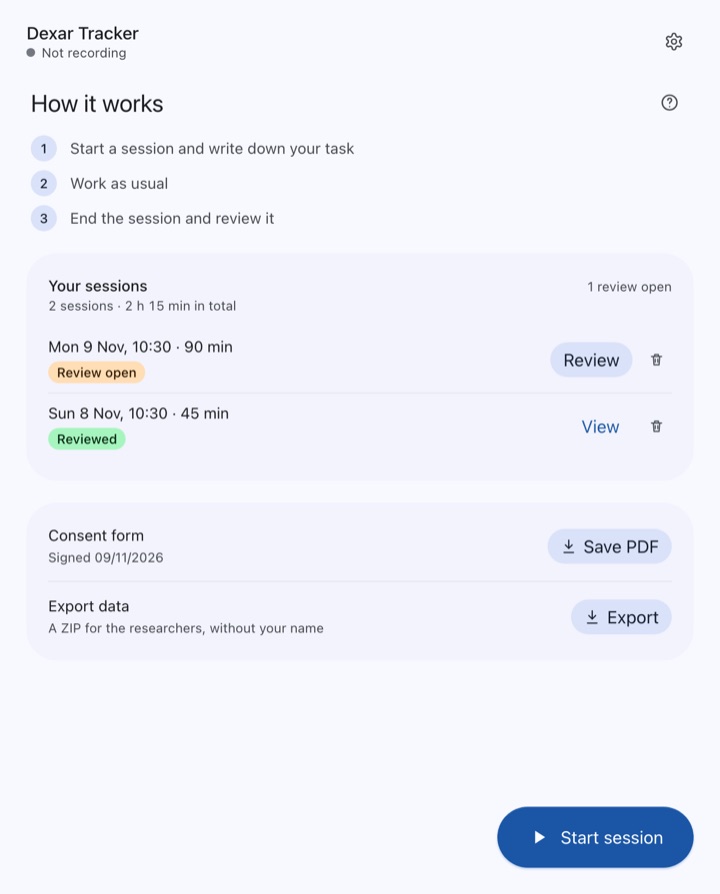
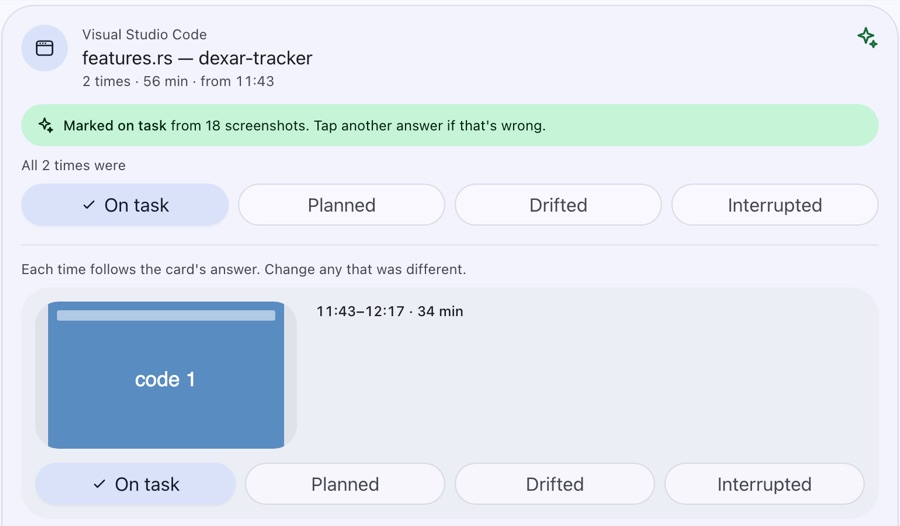
The tracker shows the apps and websites you used. Mark each one as on task, planned, drifted or interrupted. This takes about a minute.
What is recorded
Recording only happens while a session runs. All models run on your computer, and the app sends nothing anywhere.
Recorded
- Typing and mouse rhythm, and the kind of key (letter, digit, enter)
- Which app is in front, its window title, and the website's host and page title
- Whether your face is in view and whether a phone is visible
- Whether someone is speaking
- How well the screen matches your task, judged by a model on your computer
- Your answers and review
Never recorded
- Which keys you press or what you type
- Camera images or audio
- Full web addresses
- Titles from password managers and apps you mark as private
- Anything outside a session
Screenshots are analysed in memory and never leave your computer, not even in the export.
You can delete any session in the app, and you can stop at any time without giving a reason. Send me a short note and I'll delete everything you handed in.
Install
Mac
- Open the downloaded file and drag Dexar Tracker into Applications.
- Open it from Applications. The first start walks you through consent and the permissions it needs.
Windows
- Open the downloaded file. It installs without asking anything and starts the app.
- If Windows says it protected your PC, choose More info, then Run anyway. This happens once.
- The first start walks you through consent.
Updates install themselves, never during a session.
Consent
Before your first session, the app shows the participant information and asks you to sign on screen. Save the signed form as a PDF (you can also do this later on the home screen) and email it to saeli001@students.zhaw.ch. I'll reply with your personal upload key.
Your name stays with the form. The data you hand in carries only a random code.
Hand in your data
At the end of the study, and in between if I ask you to:
Export
On the tracker's home screen, choose Export. A ZIP file appears on your desktop. It does not contain your name.
Upload
Enter the key I sent you and choose the ZIP.
The upload is encrypted on the way and goes to a server in Zürich that only I can access. If your connection drops, it continues where it stopped. You can upload again later; nothing is overwritten.